
Whole Screen CarPlay on Porsche PCM 5 Now Keeps the Factory Sidebar: the PCM 6 Layout, on Your Car

If you run Whole Screen CarPlay or Android Auto on a Porsche PCM 5, you already know the one move that breaks the flow. You are in Maps, you want to change the cabin temperature, and the factory menu is nowhere to be found. CarPlay owns the whole display. So you exit back to the PCM main menu, tap Climate, do the thing, return to the main menu, find the Porsche icon, tap it, and wait for CarPlay to come back.
That detour is gone. The PCM 5's own factory sidebar now stays on screen while CarPlay or Android Auto runs whole-screen.
What changed on screen
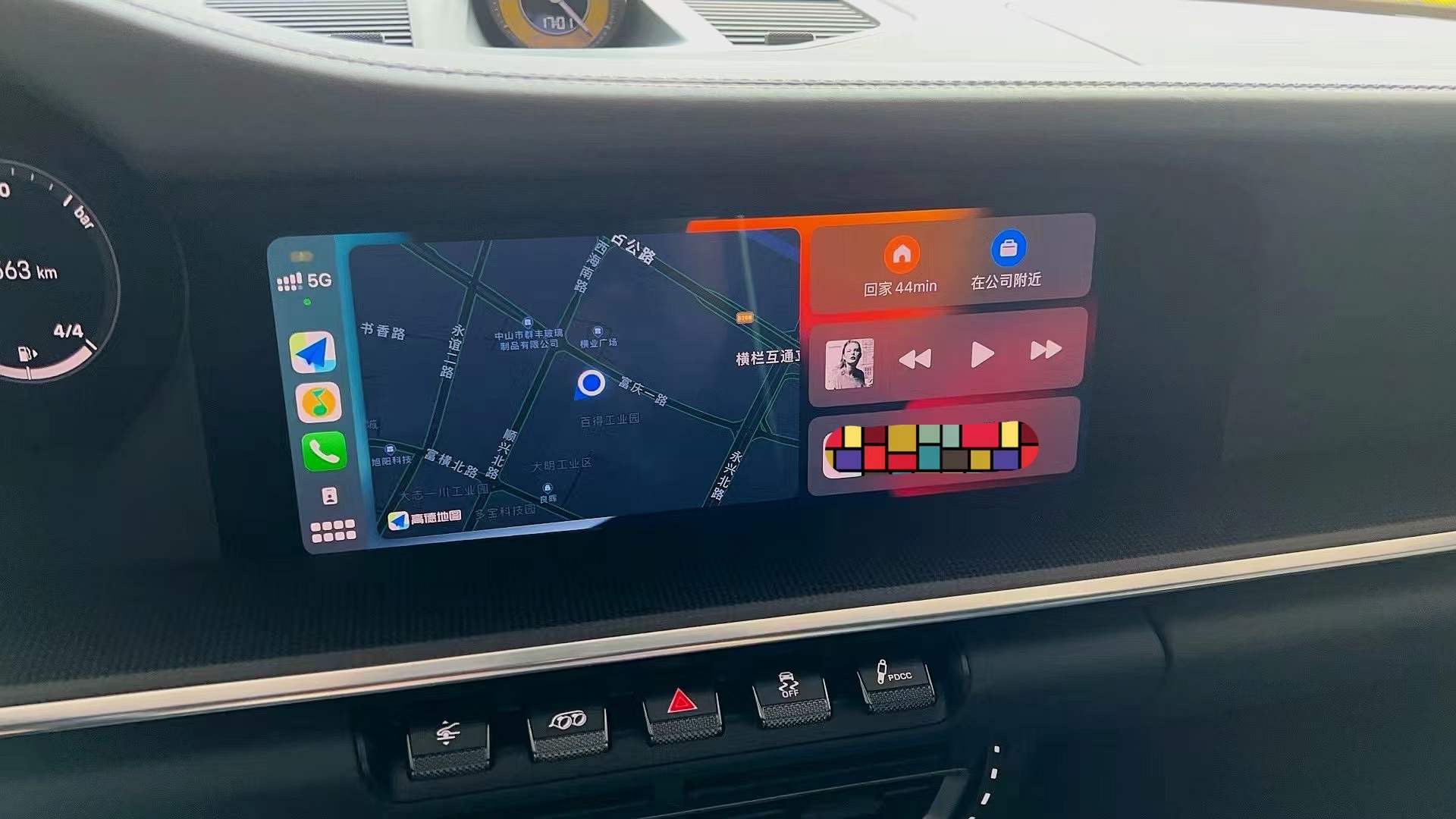
Before: CarPlay takes the whole display. Nothing from the Porsche menu is left on screen.
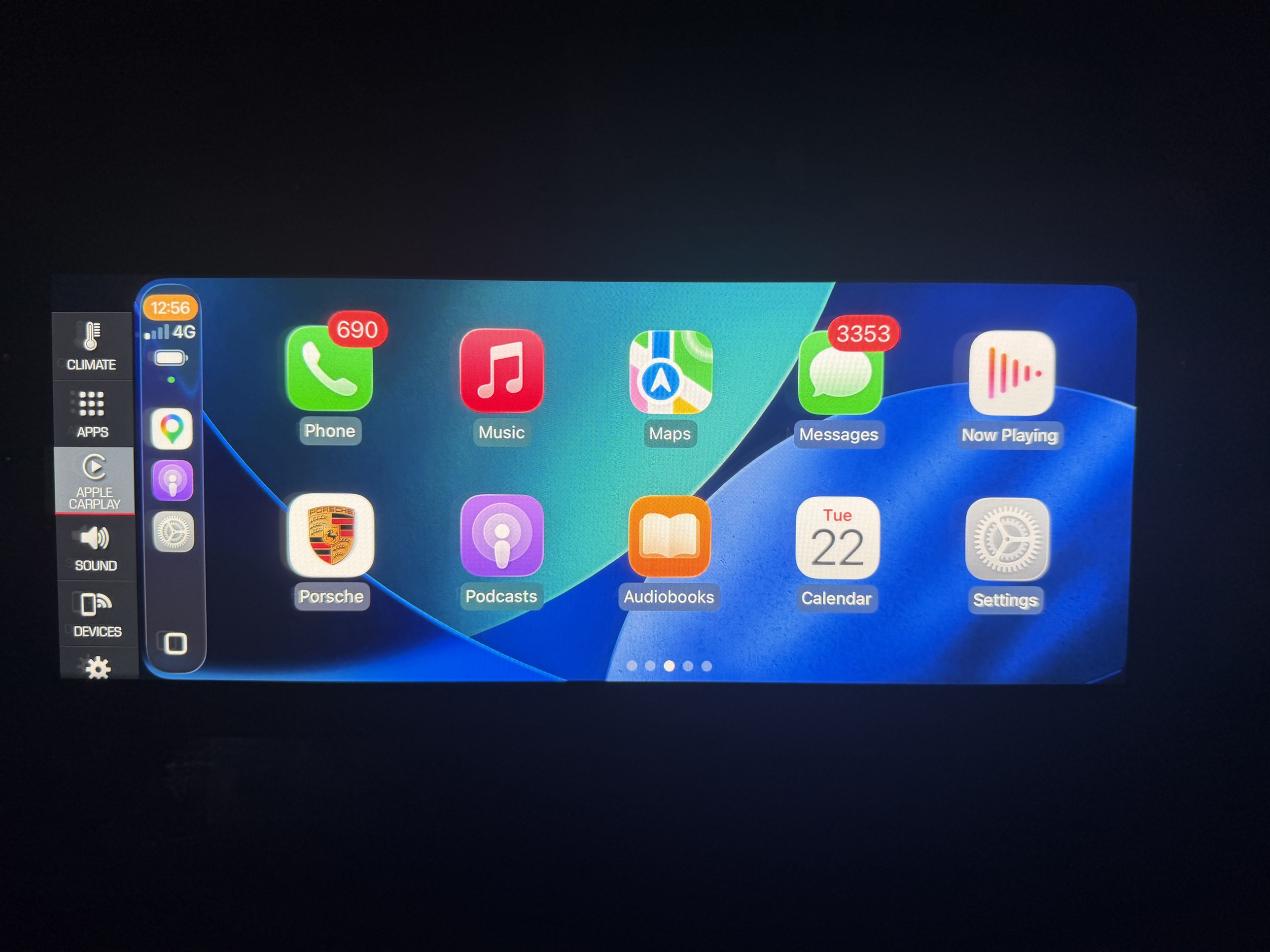
Now: the factory sidebar stays. Climate, Apps, Sound, Devices and Settings are one tap away, and one tap goes straight back into CarPlay.
Until now, Whole Screen mode did exactly what the name says. CarPlay or Android Auto took over the entire PCM display, and the factory left menu went with it: Climate, Apps, Sound, Devices, Settings. Reaching any of them meant leaving CarPlay first, then finding your way back.
The new update, developed by Innovative Soft and exclusive to our Whole Screen package, keeps that column where it belongs. The factory sidebar stays visible while CarPlay or Android Auto is running whole-screen. One tap opens any factory screen. One tap takes you straight back into CarPlay or Android Auto. No main menu, no hunting for the Porsche icon.
CarPlay and Android Auto themselves are untouched. Same apps, same behaviour, same connection. This is purely the on-screen layout.
Why it matters: the PCM 6 layout, on a PCM 5
This is the same screen layout PCM 6 ships with from the factory. On a PCM 6 car the Porsche menu column and the phone interface live side by side, and you never have to choose between them. A PCM 5 with this update presents CarPlay and Android Auto the way a PCM 6 does.
Whole Screen mode was always the right idea, because the phone interface should use the full width of that display. The factory sidebar disappearing was the price you paid for it. On a long drive that price adds up: every climate change, every source change, every look at Devices was a round trip out of CarPlay and back. Now none of them are.
Who gets it, and how
Every new Whole Screen order now includes the sidebar update at no extra cost. There is nothing to ask for and nothing to add at checkout. You can order it here: Whole Screen CarPlay & Android Auto for Porsche PCM 5.
Already bought Whole Screen from us? The sidebar update is available to existing customers as a US$99 remote upgrade. Message us on WhatsApp +64 21 404 548 or email info@innovativesoft.co.nz with your order details and we will arrange a session.
Which Porsches this applies to
The sidebar update is for PCM 5 cars, which are:
Macan: 2019 and newer, petrol
Cayenne: 2018 to 2021
Panamera: 2021
911 / 992: 2019 to 2021
PCM 6 cars already have this layout from the factory and need nothing from us.
FAQ
Does this change CarPlay or Android Auto itself?
No. CarPlay and Android Auto work exactly as they did before, with the same apps and the same connection. The only thing that changes is what else is on the screen while they are running.
How do I get back to the Porsche menu from whole screen CarPlay?
With the sidebar update, you tap it. Climate, Apps, Sound, Devices and Settings stay on screen the whole time, and one tap on the CarPlay or Android Auto entry puts you straight back where you were. Without the update you have to exit CarPlay to the PCM main menu, do what you came for, then return to the main menu and tap the Porsche icon to get CarPlay back.
Which Porsches can have it?
PCM 5 cars: Macan 2019 and newer petrol, Cayenne 2018 to 2021, Panamera 2021, and 911 / 992 2019 to 2021. If you are not sure which PCM your car has, send us the model and year and we will tell you.
I already have Whole Screen from you. How do I get it?
It is a US$99 remote upgrade. Contact us on WhatsApp +64 21 404 548 or at info@innovativesoft.co.nz and we will book it in.
Do PCM 6 cars need this?
No. PCM 6 ships with this screen layout from the factory. The update exists to bring PCM 5 cars up to the same layout.
Order it, or ask us to check your car
Whole Screen CarPlay & Android Auto for Porsche PCM 5 now ships with the factory sidebar included, at the same price.
Not sure which PCM your Porsche has, or whether your car qualifies? Send us the model and year on WhatsApp +64 21 404 548 or at info@innovativesoft.co.nz and we will check it for you, free.
Comments